
Todormac onlyopen source
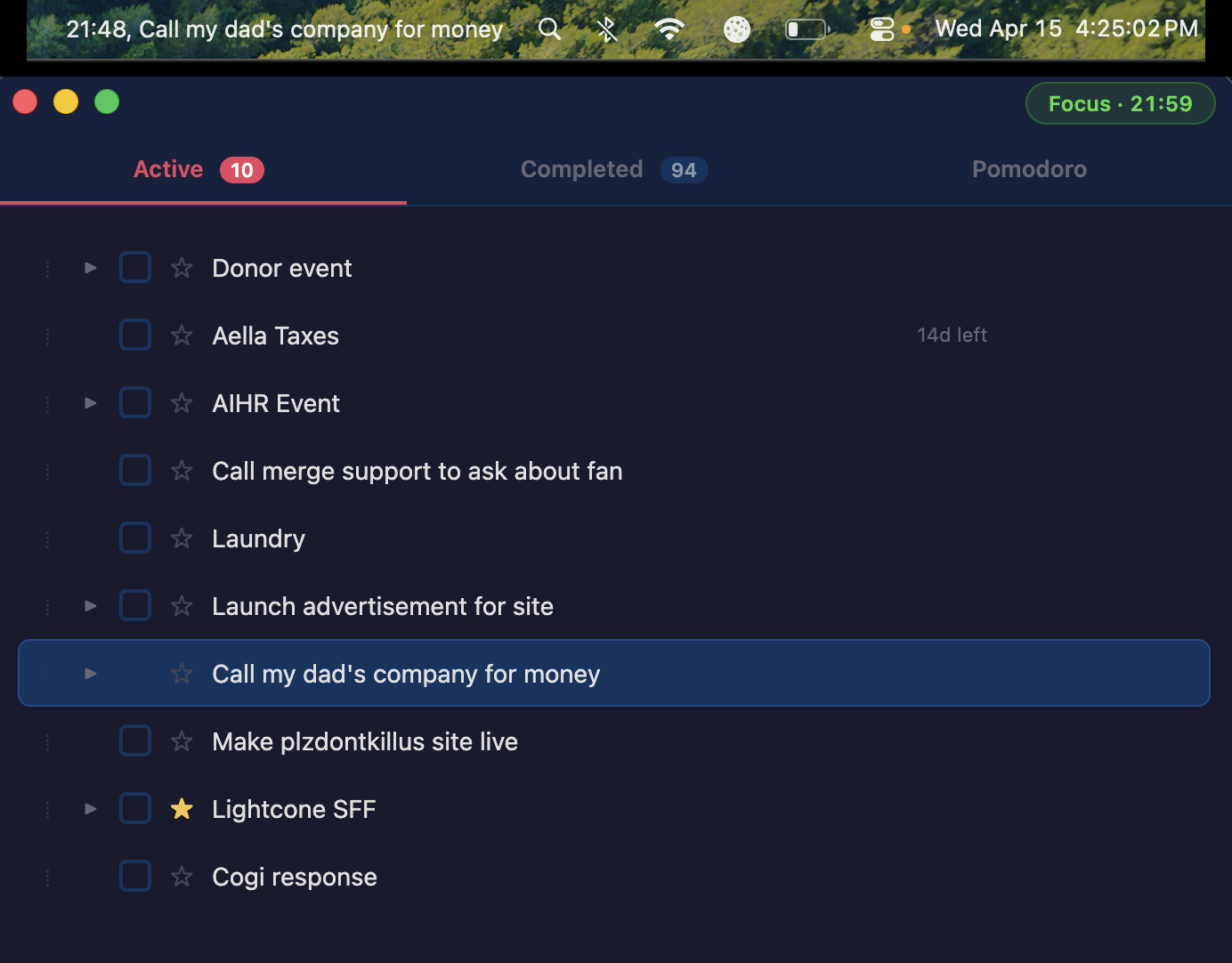
A todo list manager for ADHD brains. Everything is keyboard-driven (Cmd+K shows every command). Built-in Pomodoro cycles. The todo you’re supposed to be working on stays pinned to your menu bar so you can glance up and remember what you’re doing. Includes a one-click setup so Claude Code can read, add, edit, and set due dates on your todos for you.
First launch
macOS will refuse to open the app because it’s not signed by an Apple Developer account. Right-click Todor in Applications and pick Open; you’ll only have to do that once.
What’s inside
Always-visible focus
The todo you're supposed to be working on stays pinned to your macOS menu bar alongside the Pomodoro countdown, so you can glance up from any app and remember what you're doing.
Keyboard-first
Cmd+K opens a command palette listing every action and its shortcut. Cmd+E to edit, Cmd+T to flag for today, Cmd+Shift+T for today-only view, Cmd+Shift+P to start a Pomodoro cycle.
Built-in Pomodoros
Configurable focus + break durations, auto-cycling, with the phase and time always visible in the menu bar. Notifications fire on every transition.
Claude Code integration
Help → Setup Claude Code copies a prompt that teaches Claude how to read, add, edit, and set due dates on your todos directly from any chat. Bundled CLI under the hood.